
How we researched this: RestMint checked Todoist’s
official pricing and help pages on September 27, 2026, then reviewed
public user discussions for examples of where the plan limits matter.
This is a researched comparison, not a hands-on test of both tiers. The
featured graphic is our illustration, not a Todoist app screenshot. The
Todoist links in this article are ordinary product links; no Todoist
commission is claimed.
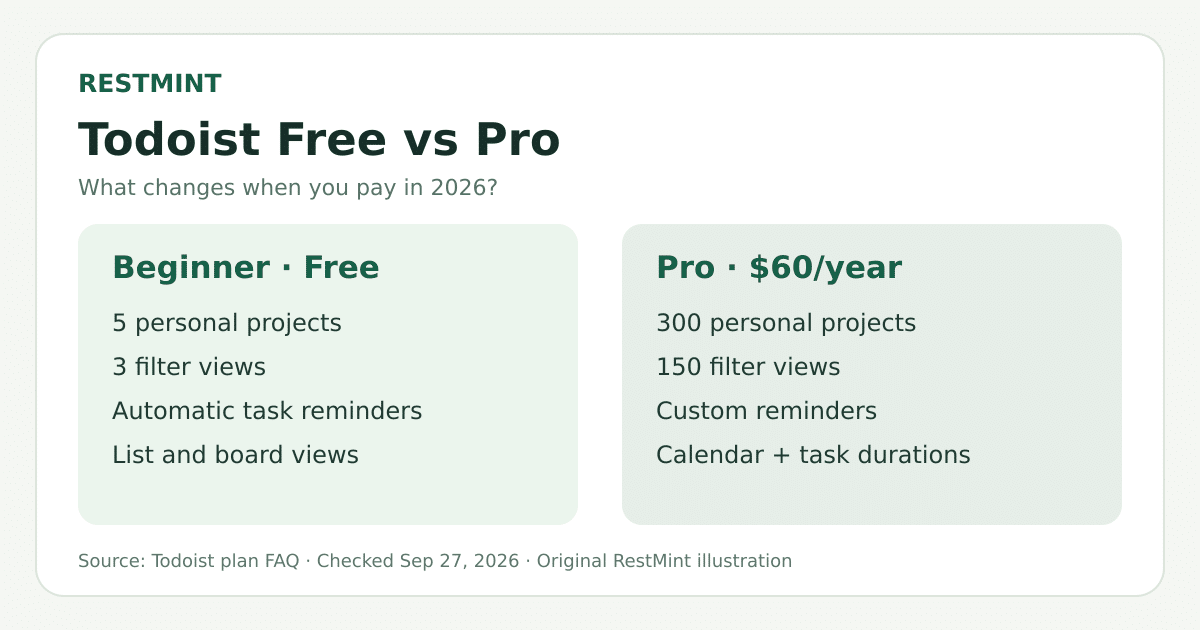
Short answer: Start with Todoist Beginner, the free
plan. It already covers recurring tasks, priorities, labels, list and
board views, calendar integration, and reminders for tasks scheduled at
a date and time. Pay for Pro when a particular limit repeatedly
interrupts your work: five active personal projects, three filter views,
or the lack of Todoist’s calendar layout, task durations, deadlines, and
custom reminders. Pro costs $7 monthly or $60 annually
in USD. Todoist’s
plan FAQ
Ready to set up your courses? Follow our Todoist for students guide for a free-plan workflow that separates assignment submission dates from study tasks and plans exam revision.
The differences
that actually affect your day
| Feature | Beginner (free) | Pro |
|---|---|---|
| Price | $0 | $7/month or $60/year |
| Active personal projects | 5 | 300 |
| Custom filter views | 3 | 150 |
| Layouts | List and board | Adds calendar |
| Reminders | Automatic task reminders | Adds custom reminders |
| Task durations and deadlines | No | Yes |
| Activity history | 7 days | Full history |
| Backups | No daily automatic backups | Daily automatic backups |
Sources: Todoist
pricing, plan
FAQ, and reminders
guide. Todoist changes its plans, so check its checkout page before
paying.
Important
correction: Free does have reminders
Older comparisons sometimes say you must pay to receive any reminder.
That is no longer accurate. Todoist lists task reminders on Beginner.
Add a date and time to a task to use automatic reminders. Pro’s
distinction is custom reminders—for example, an
additional alert before a deadline. Todoist pricing; Todoist
reminders guide
The same distinction applies to calendars. Beginner can connect
a Google or Outlook calendar. Pro adds Todoist’s own
calendar layout, task durations, and time-blocking
controls. A calendar connection is not the same feature as Todoist’s
calendar layout.
When the free plan is enough
If you use Todoist to capture assignments, errands, and appointments,
start free. You can make recurring tasks, assign priorities, organize
with labels and sections, and see projects as lists or boards. Five
projects can be enough if you prefer a compact setup—for example,
Personal, Study, Work, Household, and Someday—with sections inside each
one. Todoist
plan FAQ
That recommendation matches some users’ experience, though anecdotes
are not a survey. In one
r/todoist discussion, a commenter said they used Free for years
without feeling held back. In another
discussion, a former subscriber said Free still served their
frequent use. Those accounts show that paying is not essential to using
Todoist seriously; they do not prove Free suits everyone.
RestMint’s take: Use Beginner for at least two
weeks. Record which missing feature actually costs you time. If you
cannot name one, keep the $60.
When Pro earns its price
You continually hit the five-project ceiling. A user
asking whether paid Todoist was worth it described combining
unrelated work into one project and relying on sections because of the
limit. If that workaround makes your board or workflow harder to manage,
the jump to 300 projects has a practical benefit.
You plan your week in time blocks. Pro’s calendar
layout and task durations let you see tasks across time and give them a
planned length. For someone who already plans this way every week,
keeping that work in one app may be worth $5/month on annual billing. If
you only need to see calendar events alongside your task list, try
Beginner’s calendar integration first. Todoist’s
calendar guide; calendar
integration guide
You rely on precise alerts or complex views. A
single automatic reminder may be enough for a routine appointment.
Multiple alerts before a critical submission, or more than three saved
filters across projects, are clearer reasons to upgrade. Todoist
reminders guide; plan
FAQ
Your task history matters. Full activity history and
automatic backups become more useful when Todoist is an important record
of client work or long-running projects. They are unlikely to justify a
subscription by themselves for a short personal to-do list. Todoist
plan FAQ
What users say about the
upgrade
The discussions are mixed, which is exactly what we would expect from
a tool used in very different ways.
- The project limit is a real friction point for
some. One user described fitting many areas into five projects;
another said multiple personal and work projects were their reason to
stay on Pro. Project-limit
discussion; subscription
discussion - More features do not automatically create a better
system. A user who tried a seven day Pro trial after feeling
constrained by five projects wrote that the initial excitement faded and
their real issue was deciding what mattered. That is one account, but it
is a useful check against paying for the feeling of organization. Trial
discussion - Price sensitivity is genuine. A longtime subscriber
said they cancelled after a price increase, while others said the value
depended on their workflow. The USD annual price rose from $48 to $60 in
December 2025. User
discussion; Todoist
pricing update
Three Reddit experiences, in context
Free for demanding study: One commenter says they completed a PhD using the free plan. This is a personal account from a year ago, not a test of today’s plan limits.
Comment
byu/National-Resident244 from discussion
intodoist
Why someone keeps Pro: A commenter says multiple projects across work and personal life are the reason they pay.
Comment
byu/YehDilMaaangeMore from discussion
intodoist
Why someone went back to Free: A former subscriber says they condensed their projects to fit the free tier.
Comment
byu/YehDilMaaangeMore from discussion
intodoist
These embedded comments link to their original Reddit threads. They reflect individual workflows, not a representative poll. Check Todoist’s current plan comparison for feature limits.
These are public, self-selected anecdotes. We did not interview the
commenters or verify their subscription records. We found no accessible
Facebook or Instagram account of the Free-to-Pro decision that met the
same attribution standard, so none is represented here.
Is $60 a year worth it for
a student?
Usually, not immediately. A student with a few
classes and personal tasks can start with Beginner, use sections for
courses, and add due dates and automatic reminders. Consider Pro if the
five-project limit is repeatedly awkward, or if you genuinely schedule
study blocks in Todoist’s calendar layout every week. Paying for a
calendar view that you rarely open is not a productive use of a student
budget.
At $60 annually, the decision is roughly whether the extra tools save
you more than $5 of value per month. That is a personal
threshold, not a claim that the app will save a measured number of
hours. Try the workflow before buying a year.
How to decide in seven days
- Stay on Free first. Write down the specific limit
you hit—not the feature that merely looks appealing. - If eligible, try Pro with a real week of tasks.
Test the calendar layout, duration, filters, and reminders using your
normal schedule. Todoist lists a seven day trial for eligible accounts.
Trial
instructions - At the end, name the feature you would miss. If
there is no clear answer, cancel and return to Beginner. The Pro
subscription begins automatically when the trial ends unless you cancel;
cancelling the trial leaves it active until expiry. Todoist
trial FAQ
Verdict
Choose Beginner if you want a reliable personal task
list with due dates, recurring tasks, and automatic reminders.
Choose Pro if five projects or three filters
consistently get in your way, or if you already depend on time blocking,
durations, deadlines, and custom alerts. Paying can remove friction from
a working system. It cannot supply priorities for a system you have not
built.
Related reading: Forest vs
Todoist for students compares a focus timer with a task planner.
Editorial note: Plan details can change. This
article was last checked September 27, 2026; confirm current pricing
before subscribing.
Leave a Reply